
Measuring LinkedIn Ads Without a Martech Stack
What the LinkedIn Insight Tag sends from the browser, what the Conversions API adds from your server, and how click IDs, UTMs, attribution windows, and consent fit together using first-party data you already have.
Paid media measurement gets sold as a tooling problem. Buy a platform, connect it to every ad network, and the numbers will line up. Most of it is simpler than that. A LinkedIn conversion reaches LinkedIn one of two ways: from the visitor's browser or from your server. Each path carries a few fields you can read yourself. Once you know what those fields are, the browser and your own first-party data cover most of what you need.
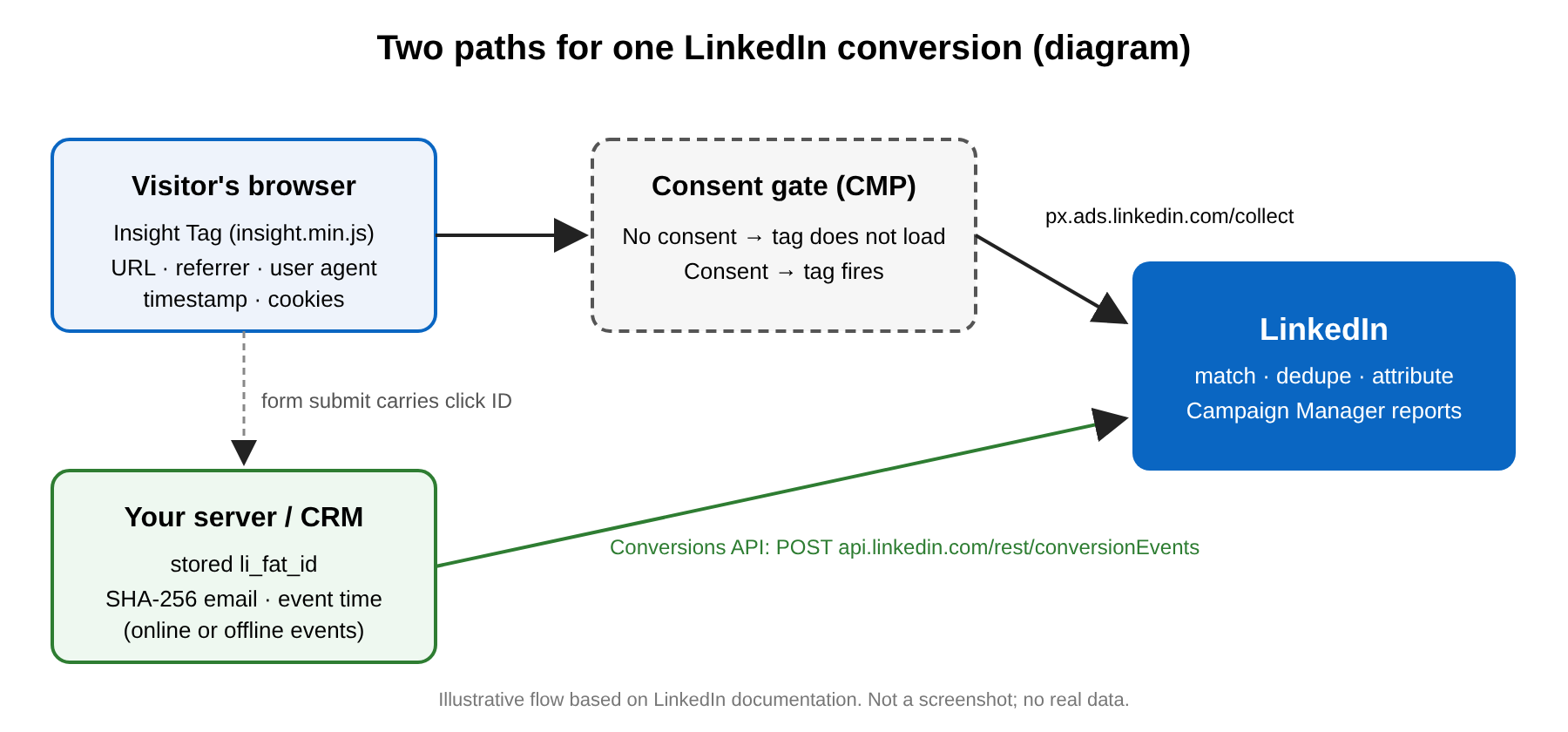
What the Insight Tag collects in the browser
LinkedIn describes the Insight Tag as "a piece of lightweight JavaScript code" that supports conversion tracking, website retargeting audiences, and audience insights (LinkedIn Insight Tag, Marketing Solutions Help). According to LinkedIn's FAQ, the tag collects "the URL, referrer, IP address, device and browser characteristics (User Agent), and timestamp" of visits. LinkedIn says IP addresses are truncated or hashed, direct identifiers are removed within seven days, and the remaining pseudonymized data is deleted within 180 days (LinkedIn Insight Tag FAQs).
The tag also sets cookies and, for traffic from outside the EU, EEA, UK, and Quebec, a first-party pseudonymous identifier called the LinkedIn Ads ID (li_adsid). Every tag has a partner ID that ties incoming data to your ad account (Insight Tag help). If you turn on enhanced matching, the page can also send an email address that is hashed in the browser before it goes to LinkedIn (FAQs).
You can check all of this yourself. Open DevTools, go to the Network tab, and filter for linkedin. The script loads from snap.licdn.com/li.lms-analytics/insight.min.js. In the copy we fetched on October 30, 2026, the collection endpoint was px.ads.linkedin.com/collect. That's the beacon: a plain HTTP request with your page URL and the partner ID in it. Our post What a beacon actually sends covers how to read requests like this one.
The Conversions API: the same event, from your server
The LinkedIn Conversions API lets your server post conversion events to api.linkedin.com/rest/conversionEvents. Those can be online events, such as a form submit your backend already logs, or offline ones, such as a lead your CRM later marks qualified. LinkedIn positions CAPI as working "in tandem with your Insight Tag" and deduplicates events that arrive from both sources (Conversions FAQ; Deduplication guide).
CAPI matches events to members through user identifiers. The Conversions API schema lists SHA256_EMAIL, which must be lowercased, stripped of whitespace, and SHA-256 hashed, and LINKEDIN_FIRST_PARTY_ADS_TRACKING_UUID, which is the click ID. LinkedIn's FAQ says reports can take up to 72 hours to fill in fully: up to 24 hours for ingestion and another 48 for reporting.
The server-side lab sends the same test event from the browser and from a first-party endpoint, so you can see what a blocker drops. The CAPI lab walks through the same pattern for Meta's Conversions API: a hashed email, a shared event ID for dedupe, and a dry run. The mechanics carry over to LinkedIn.
Click IDs and UTMs: two different jobs
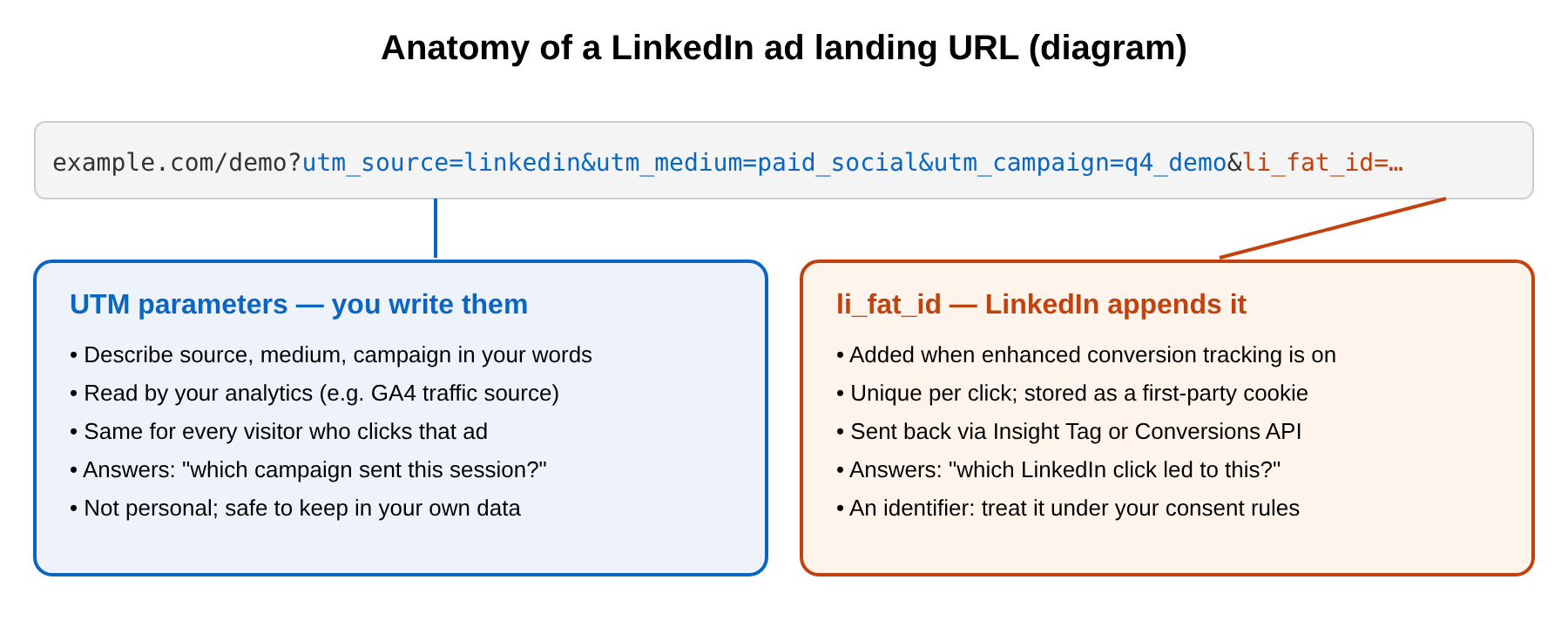
When you enable enhanced conversion tracking in Campaign Manager, LinkedIn adds a click ID, li_fat_id, to the end of your landing page URLs. The tag can then use first-party cookies (Enable first-party cookies). LinkedIn's developer docs call capturing li_fat_id from the URL or cookie "critical" for CAPI match rates (Enabling Click IDs). The practical move is to read the parameter on landing, keep it in a hidden form field or your own session, and store it with the lead. Then your server can send it later.
UTM parameters do a different job. You write them, every click on the ad carries the same values, and your own analytics reads them. Google's help center covers how GA4 picks up utm_source, utm_medium, and utm_campaign from custom URLs (Collect campaign data with custom URLs). In short, UTMs tell you which campaign sent a session, and the click ID tells LinkedIn which click it was. Use both. The UTM builder lab checks naming rules before you copy a link, and the traffic source lab shows how a visit is classified, with campaign parameters checked first and the referrer second.
View-through vs click-through
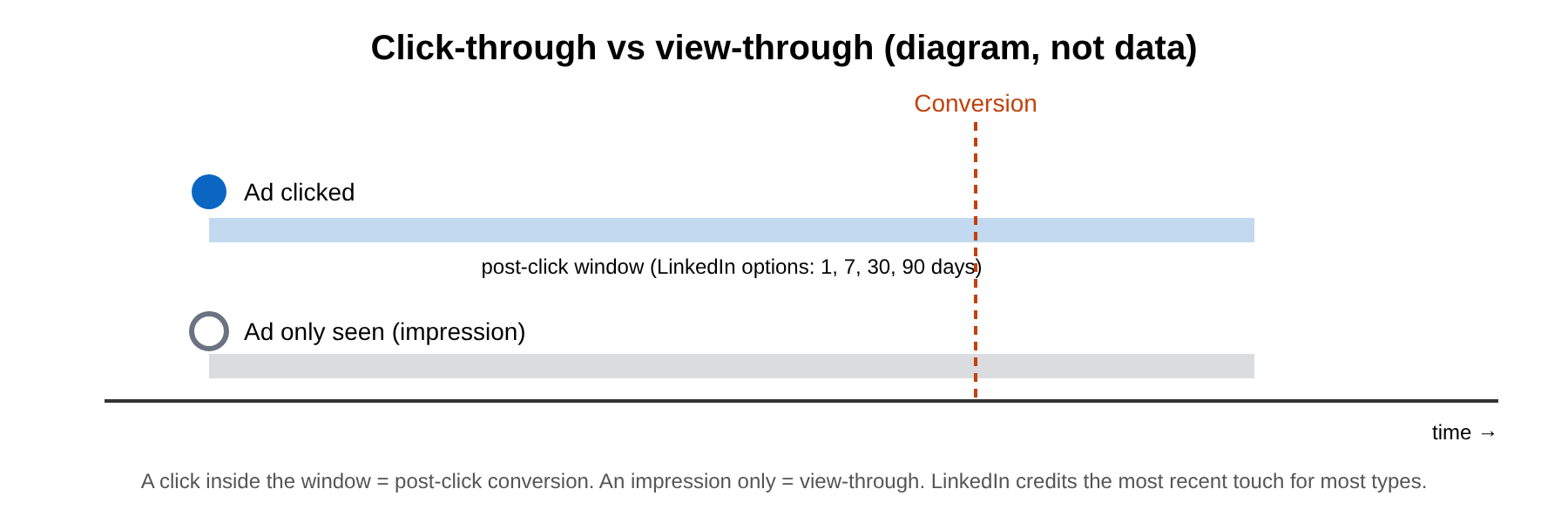
LinkedIn records two kinds of conversions. A post-click conversion follows an ad click. A view-through conversion follows a member seeing an ad without clicking it. The Campaign Manager default is a 90-day click and 90-day view window, and you can set either to 1, 7, 30, or 90 days. For some conversion types sent through CAPI or CSV upload, you can also choose 180 or 365 days. For most conversion types LinkedIn uses last-touch attribution and credits the most recent click or view (LinkedIn conversion window).
View-through numbers are LinkedIn's own view, and your analytics can't reproduce them, because no click ever reached your site. Report the two separately. Compare post-click conversions against your UTM-tagged sessions, and treat view-through as a signal to test, not proof. The attribution lab runs one journey through last click, first click, linear, and other models so you can see how much the choice of model moves the credit.
Consent comes first
None of this should fire before the visitor agrees to it. With a consent management platform (CMP), the clean pattern is to keep the Insight Tag from loading until marketing consent is granted, and to send CAPI events only for leads whose consent you recorded. If you also run Google tags, Consent Mode tells them which consent states apply, and they adjust their behavior to match. LinkedIn also says the Insight Tag should not be installed on pages that collect or contain sensitive data (Enable first-party cookies).
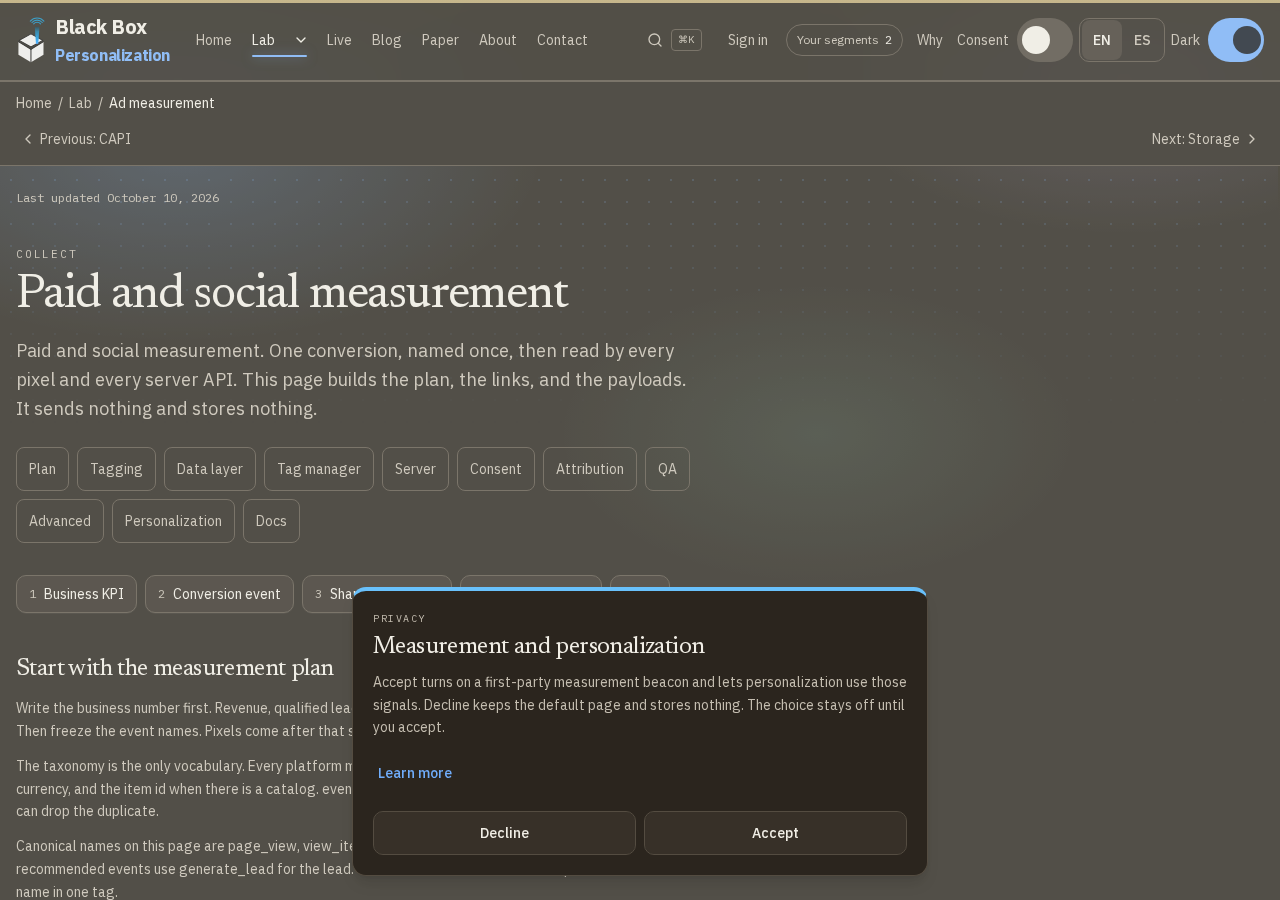
The consent lab shows what this site sends before Accept, what changes after, and how a Global Privacy Control signal keeps measurement off.
You already own most of this
Look at what the pipeline actually needs. You need a landing URL with UTMs you wrote and a click ID LinkedIn appended. You need a form that stores both. You need a consent record, and a server that can hash an email and send a POST request. All of that lives in the browser and in your own database. A big martech vendor can schedule those pieces for you, but it doesn't add a signal you couldn't capture yourself.
The Paid and social measurement lab puts it together: one taxonomy, UTM rules, aligned tags, and a dry run that sends nothing and stores nothing. Start there, open DevTools, and check what your own site sends.
Labs that show this
- Paid and social measurement
Paid and social measurement for every ad platform: one taxonomy, UTM rules, aligned tags, and a free dry run that sends nothing and stores nothing.
- Meta Conversions API explained
Meta Conversions API explained: a server event beside the Pixel, SHA-256 email and phone, a shared event id, and a free dry run that sends nothing to Meta.
- Consent Mode and Global Privacy
Consent Mode and Global Privacy Control on this site: what is sent before Accept, what changes after, and how a GPC signal keeps measurement off.
Recommended next
Why these picksReading path transitions…